Your Lovable app is live. Five things to check before a stranger does, with the commands
We set a table up the way an AI builder often leaves it and asked for its rows without signing in. All of them came back. Here are five checks you can run on your own Lovable and Supabase app in about twenty minutes, with the exact commands and what the answers should look like.
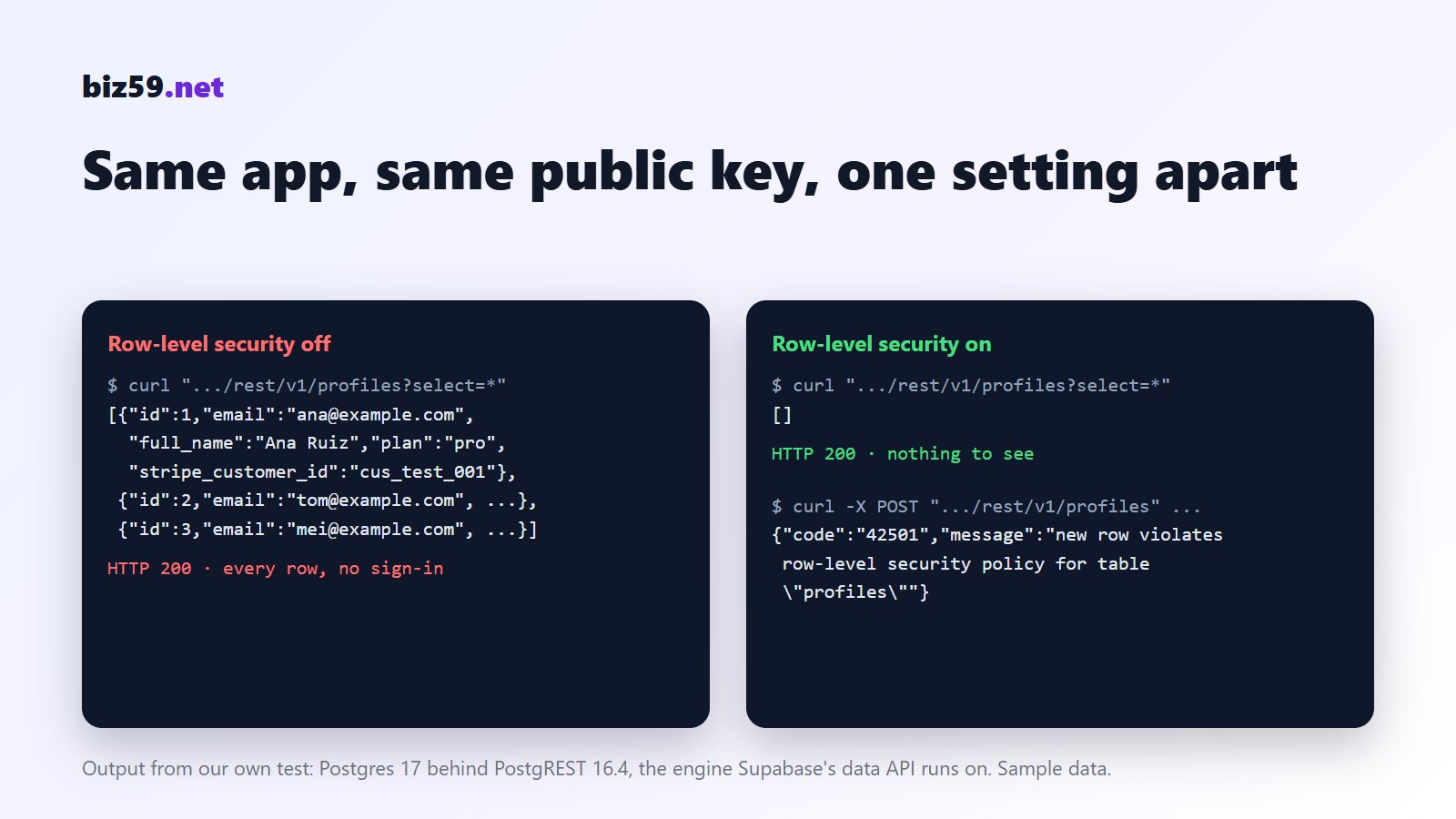
This morning we made a small table called profiles with three made-up customers in it: name, email, plan, payment customer ID. Then we asked for it from the command line, with no sign-in, the way any visitor to the site could. All three rows came back. We changed one of them to the paid plan and deleted another. Nothing stopped us.
Nobody hacked anything. That is what a table with row-level security switched off does, and it's the most common thing AI app builders leave behind. Lovable apps keep their data in Supabase, and the browser talks to the database directly using a public key. The key is supposed to be public. What keeps one customer from reading another's data is a set of rules on each table, and if the rules were never written, the screens are the only lock.
Our earlier checklist explains what to look for and why. This one is the hands-on version: five checks, the commands, and what a good answer looks like. You don't need to be a developer. You need your app's address, twenty minutes and a terminal (on Windows, PowerShell has curl.exe).
1. Read your own tables as a stranger
Open your live app in Chrome, press F12, go to the Network tab and reload. Find a request to an address like https://abcdefgh.supabase.co/rest/v1/.... Click it and copy two things: that address up to .co, and the apikey header. That key is the public one that every visitor's browser receives.
Now ask for a table without signing in. Use the table names you saw in the Network tab; profiles, users, orders and messages are the usual ones.
This is what we got from our test table with row-level security off:
And the same request after one line of SQL, alter table profiles enable row level security;:
An empty list is the answer you want. If you see rows, stop reading and fix that first. (We ran this on Postgres 17 behind PostgREST 16.4, the open-source engine that Supabase's data API is built on, with sample data on our own machine. Only ever run it against your own app.)
To see every table at once, run this in the Supabase SQL editor. In Lovable, the same information is under Cloud, Database, RLS policies.
The first query should return nothing. The second catches a quieter problem: a rule that exists but says true, which means "everyone". AI builders write those when you ask them to "fix the permission error". The third lists file storage. A public bucket is fine for logos, and wrong for invoices, ID photos or exports.
One more thing we noticed in the test. With the rules on, an update from a stranger came back as HTTP 200 with an empty list. It changed nothing, but it didn't say "forbidden" either. So test by reading the data back, not by looking at the status code.
2. Look for secret keys in what the browser downloads
The public key is fine in the browser. These are not: a Supabase secret key (it starts with sb_secret_, or it's an older long key whose middle part decodes to service_role), a live Stripe secret key (sk_live_), or keys for OpenAI, Resend or any other service that bills you. Download your app's JavaScript and search it:
No output is the good answer. If something shows up, changing the code isn't enough: the key has already been handed to every visitor. Create a new key in that service's dashboard, delete the old one, and move the call into a server function (in Lovable, an edge function with the key stored as a secret).
If your project was created before November 2025, also rotate its database password and keys. In April 2026 a flaw at Lovable was reported to have exposed the source code, credentials and AI chats of projects made before that date. Rotating costs ten minutes.
3. Sign up three times in a row
Use three email addresses you own and sign up with each, one after the other. If the third confirmation email never arrives, you've met Supabase's built-in email sender, which sends 2 emails an hour for the whole project. It exists for testing. On launch day it means the third person to sign up gets nothing and assumes your app is broken.
The fix is to connect your own email sending, either by SMTP or with a Send Email hook. We wrote up both routes, with the code, on our email service's site: Supabase stops at 2 emails an hour. While you're there, send yourself a password reset and check that it lands in the inbox, not in spam, and that the link in it opens your live address, not a preview one.
4. Call your most expensive button twenty times
Find the action in your app that costs you money each time it runs. Usually it's whatever calls an AI model, sends an email or text message, or creates a payment. In the Network tab it shows up as a request to /functions/v1/something. Right-click it, choose Copy as cURL, and run it twenty times:
Twenty lines of 200 means anyone can run that in a loop overnight, and the AI bill is yours. You want it to work a few times and then answer 429 (too many requests), and you want it to refuse outright when the caller isn't signed in. Supabase limits sign-ups and sign-ins by default, about 30 per five minutes. It does not limit the functions you wrote. Ask for a per-user and per-IP limit on each one, and set a monthly spending cap in the AI provider's dashboard as the backstop.
5. Find out where yesterday's data is
Ask yourself one question: if someone deletes the orders table at 3 pm, what do I have? Check which plan your database is on and whether it includes daily backups; prototype plans often don't. Whatever the plan, take your own export once and try opening it:
Then the code. In Lovable, connect the project to a GitHub account that belongs to you or your company, not to a freelancer. If the builder changes its prices or you outgrow it, the repository and that SQL file are what you take with you.
What Lovable checks for you, and what it doesn't
Lovable runs a quick security scan when you publish, covering database access rules and dependencies, and a deeper one on request. Turn on "Block publishing with critical issues" in the workspace settings. It helps. Lovable's own documentation is plain about the limit: "These tools help identify common security issues, but they cannot guarantee complete security." A scanner reads your rules. It doesn't know that a support agent shouldn't see billing details, or that the export button returns everyone's rows. The five checks above test what a stranger can actually do, which is the thing that matters.
The longer list
These five are the ones that hurt most and are quickest to test. Our free launch checklist has seventeen, grouped by who can see what, keys, abuse, data and ownership, each with the reason behind it. It runs in your browser, saves your answers there and prints a page you can send to whoever built the app.
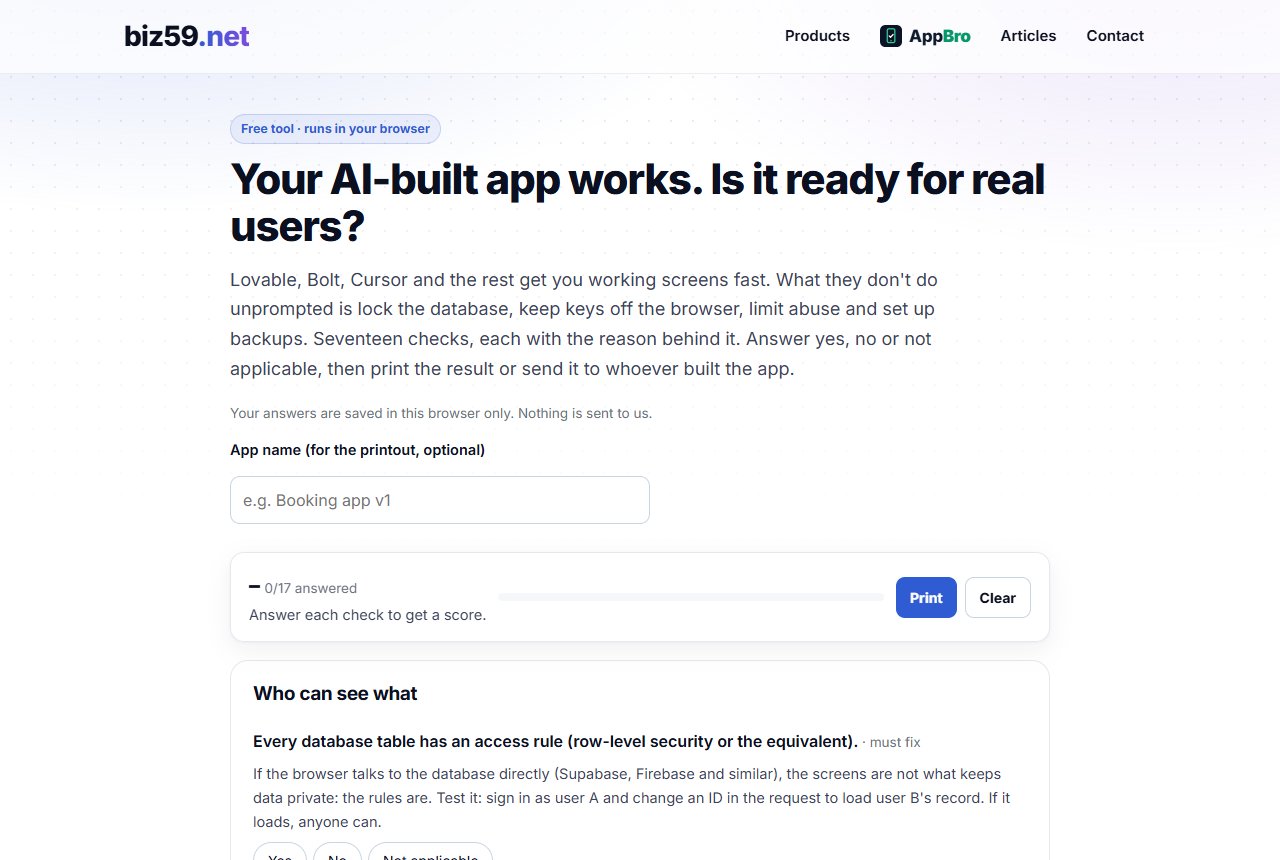
Seventeen checks before real users arrive. Free, runs in your browser, prints on one page.
Open the launch checklistHeading for the App Store or Google Play as well? The stores ask for a privacy policy, a support page and a way to delete an account before they'll review the app. The store-ready check tells you which of those you're missing.
Sources
Our own test, 10 October 2026: Postgres 17 and PostgREST 16.4 in Docker, a profiles table with three sample rows, requests made with curl as the anonymous role before and after enabling row-level security. Supabase, Auth rate limits; Supabase, Row Level Security; Lovable documentation, Security; Computing, Lovable flaw exposed source code, credentials and AI chats (April 2026).