Set up your small business online in an afternoon
Five small jobs that never get a free afternoon: a work email address, a Gmail you can use again, QR codes you only print once, a privacy policy at a link, and the week's shifts on everyone's phone. Our list, in the order we'd do it, with screenshots of the real tools.
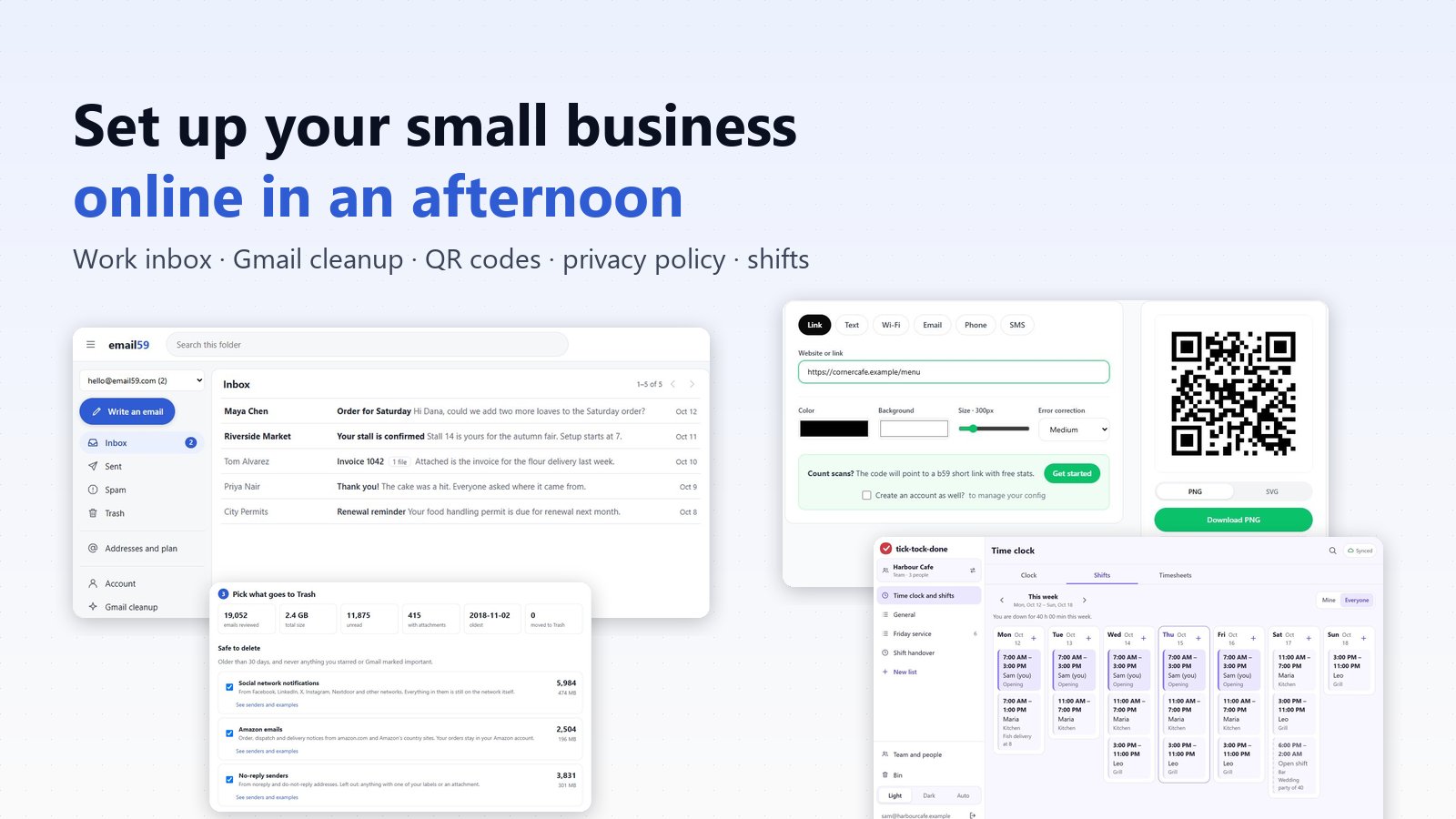
Most small businesses we talk to don't have an IT problem. They have five small annoyances that never get a free afternoon. Customer orders sit in the same Gmail as the school newsletter. Gmail itself says it's nearly full. The QR code on the tables points to last year's menu. The booking form on the website has no privacy policy behind it. And the week's shifts live on a photo of a whiteboard in the staff group chat.
None of these needs a consultant. Each one is an hour or less with the right small tool. We make tools for all five, so this is our list, in the order we'd do it, with screenshots of the real thing. Take the ones you need and skip the rest.
1. A work email address that isn't your personal one
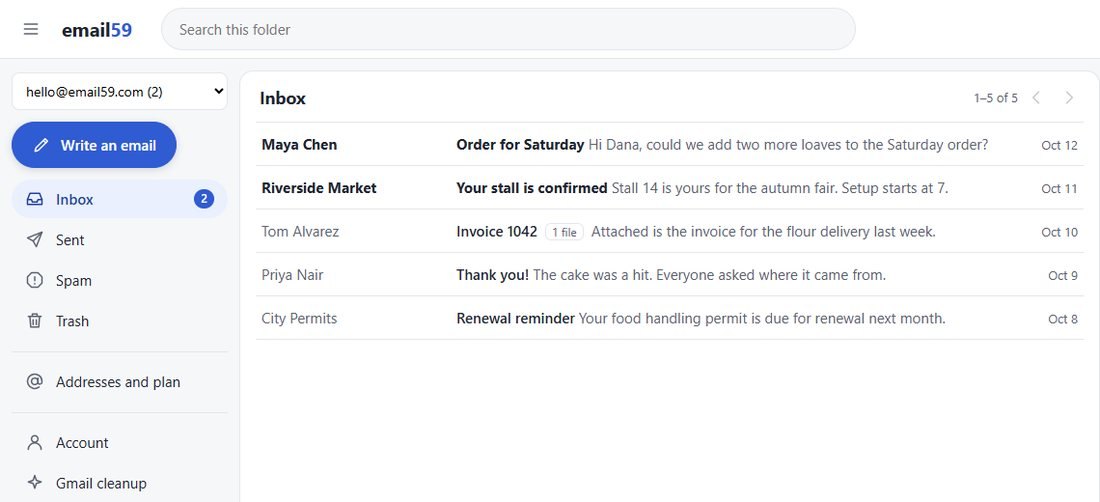
The cheapest fix with the biggest effect. Pick one address for the business and give only that one to customers and suppliers. Your personal inbox goes back to being personal, and when someone helps out at the counter you can let them read the work mail without handing over your whole life.
On email59 you pick an address at email59.com, like orders-yourshop@ or your own name, and the mail opens in a browser on a phone, a tablet or the computer in the back office. Invoices and photos open on the page. There's no domain to buy and nothing to install. It is an email59.com address for now, not one on your own domain, so if you already own a domain, keep that in mind.
2. Get your Gmail back
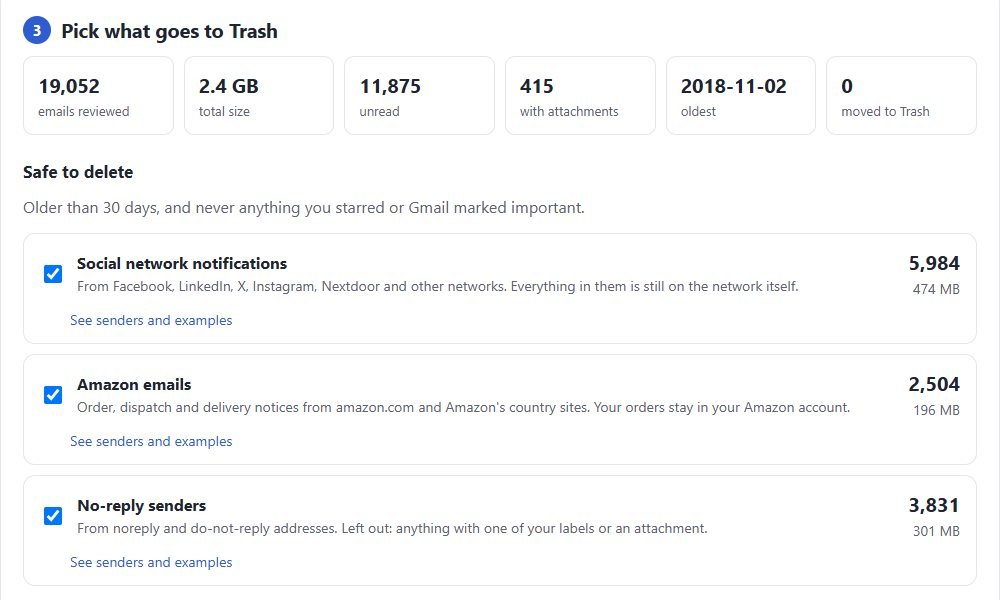
A personal Google account has up to 15 GB, shared between Gmail, Drive and Photos. When it fills up, new mail stops arriving, and that is usually the week an order goes missing. Most of what fills it is mail nobody will open again: social media alerts, delivery updates, years of no-reply messages.
The Gmail cleanup counts those groups, shows you a few examples from each, and moves only the groups you tick to Trash. It reads dates, senders and subjects, never what's inside an email, and it never touches anything you starred. When you're done, one button deletes what it looked at.
3. QR codes you only print once
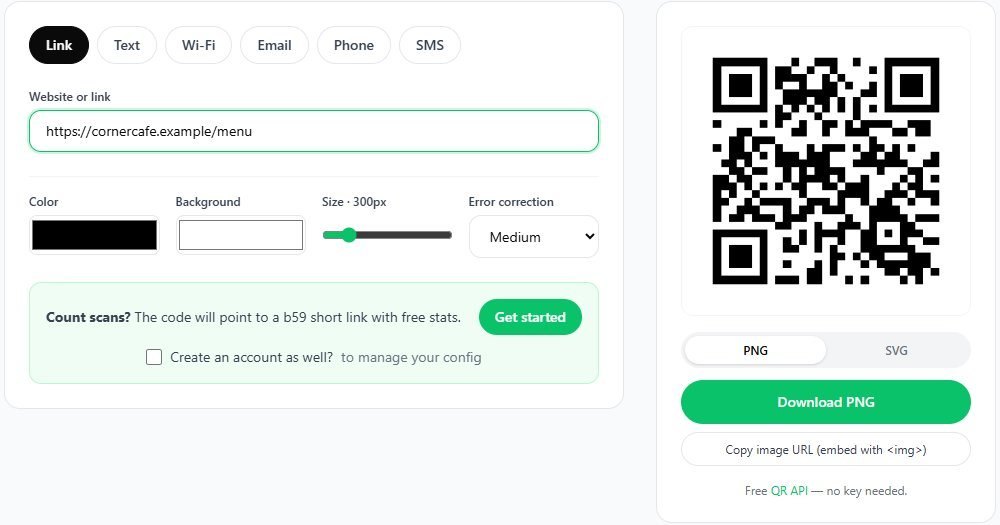
A QR code gets printed on paper, a sticker or a window, and paper doesn't update. If the code points straight at a PDF of your menu, the day the prices change you're reprinting every table card.
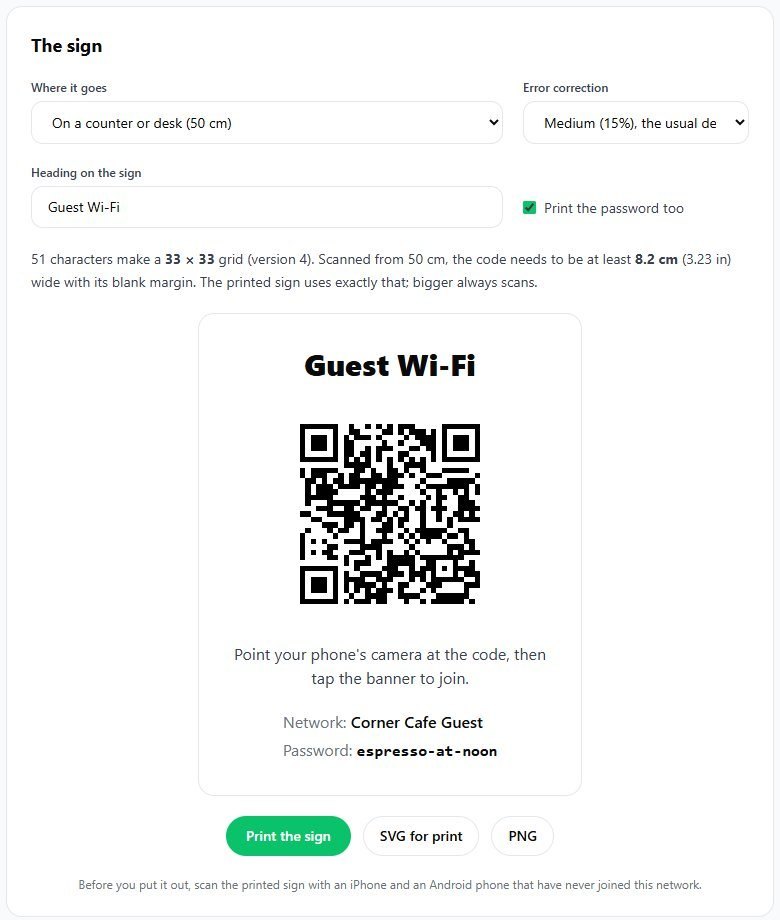
b59.link makes the code point to a short link instead. The code never changes; you change the page behind it whenever you like, from your account. The same goes for a price list, a booking page or a review page. While you're there, make the guest Wi-Fi sign: guests scan it and join, and nobody has to spell out the password at the till.
4. A privacy policy at a link
If your website has a contact form, a newsletter sign-up or a booking page, you are collecting people's details. In the EU and the UK the law says you have to tell them what you do with those details, at the moment you collect them. In practice that means a privacy policy, linked from the form.
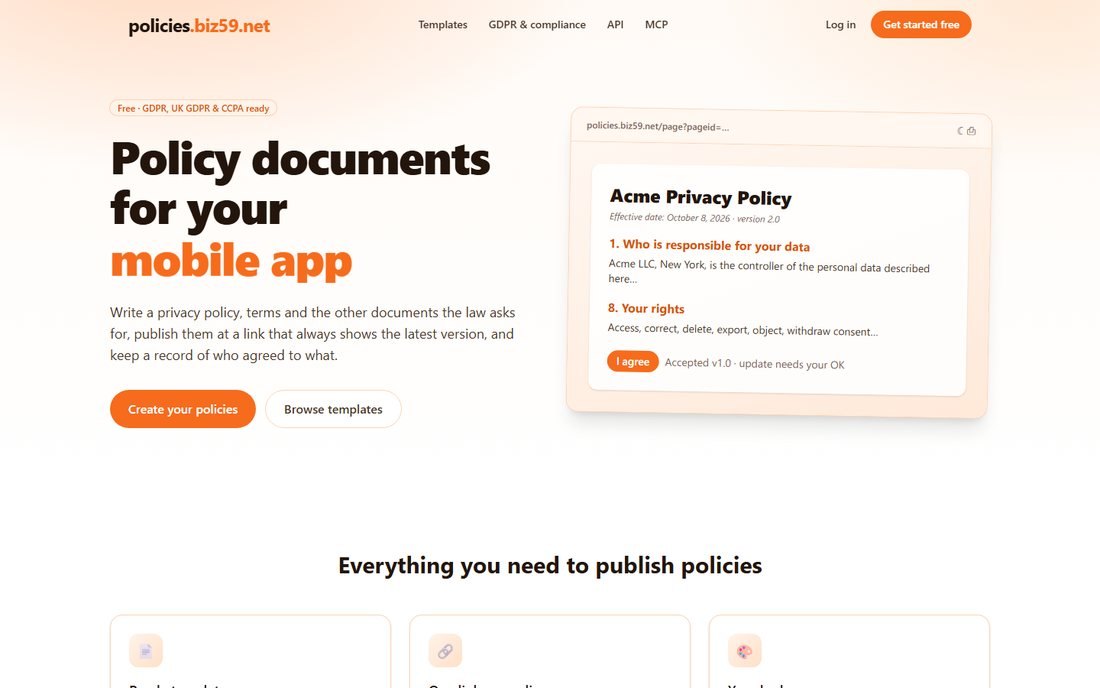
On policies.biz59.net you start from a template written for GDPR, UK GDPR and the Californian rules, fill in your business, and publish it at a link that always shows the latest version. Put that link under your form and in your website footer. It isn't legal advice: read it through and change anything that doesn't match what you actually do.
5. The week's shifts on everyone's phone
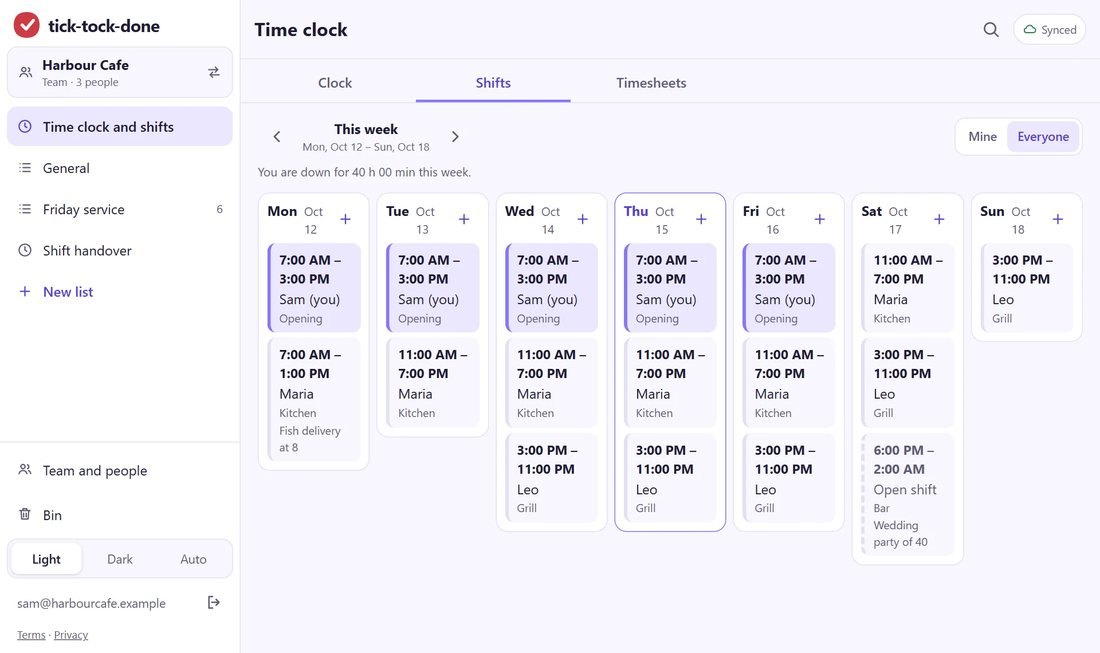
This is the one that saves time every week, not just once. A whiteboard photo in a group chat is out of date the moment someone swaps a shift, and at the end of the month somebody adds up hours from memory.
TickTockDone puts the rota where everyone can see it, lets the crew clock in from their own phones, and keeps the opening checklist in the same place, so the person on the early shift ticks it off instead of guessing. At the end of the week the hours are already added up for payroll. We built it with restaurants in mind; building sites and cleaning crews use it the same way.
If you're a freelancer
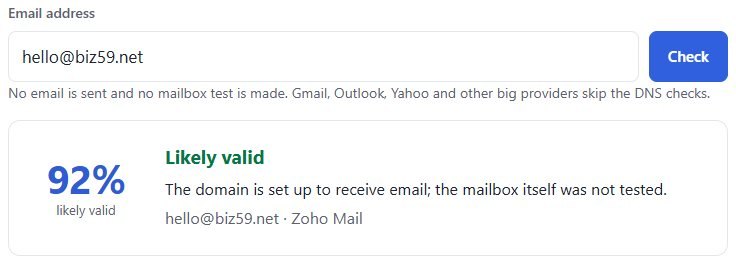
Skip the rota. The rest still applies, in a smaller way: a work address in your own name, a contact QR code on your business card and your invoices, and a privacy policy if your site has a contact form. One more habit worth having: before you send the first invoice to a new client, check their email address. A typo in the domain is the quietest way for an invoice to never be seen, and the check catches a domain that can't receive mail.
What we left out on purpose
A new website, a booking system, an accounting package and a social media plan. They matter, but each one is a project, not an afternoon. Do the five small things first. They make the bigger ones easier, because the email address, the QR codes and the policy link are exactly what every bigger tool asks you for.
Building your first app or a site for a client rather than running a shop? There's a shorter list for that: six small tools for a first app, without a cloud console.
All five steps on one page, with a link to each tool.
Open the small business kitSources
Manage your storage in Drive, Gmail and Photos, Google Drive Help, for the 15 GB shared between Gmail, Drive and Photos. Article 13 GDPR, information to be provided where personal data are collected. The right to be informed, ICO. Screenshots were taken on our live sites in October 2026; the mailbox and shifts show made-up businesses.