Give your AI agent a notebook and a whiteboard: MCP with two small tools
An agent's work usually ends up forty messages deep in a chat. With one MCP server it can keep a run log in a note you can search and share, and hand you a fishbone or a mind map it wrote as a plain list. The calls, three habits that made it useful, and four cautions about giving software write access.
Ask a small company what its AI agent did last night and you usually get one of two answers. "It's in the chat somewhere." Or: "It posted in Slack, scroll up."
The work may have been good. The trouble is where it ended up. A chat window is a fine place to give instructions and a poor place to keep results. Nobody can search it properly, nobody can link to one answer, and the summary the agent wrote at 2 a.m. is forty messages above the fold by breakfast.
People have notebooks and whiteboards for this. An agent can have the same two things, and it takes less plumbing than you'd think. This is how we set it up with two small tools of ours, md.biz59.net for notes and draw.biz59.net for diagrams, and what we'd watch out for.
What MCP is, in one paragraph
The Model Context Protocol is an open standard, first published in late 2024, for telling an AI model which tools it may call and how. A tool server lists its tools ("create a note", "search notes"), each with a short description and the inputs it takes. Any assistant that speaks the protocol can then use them, without anyone writing glue code for that one assistant. Think of it as a USB socket for software an agent can use.
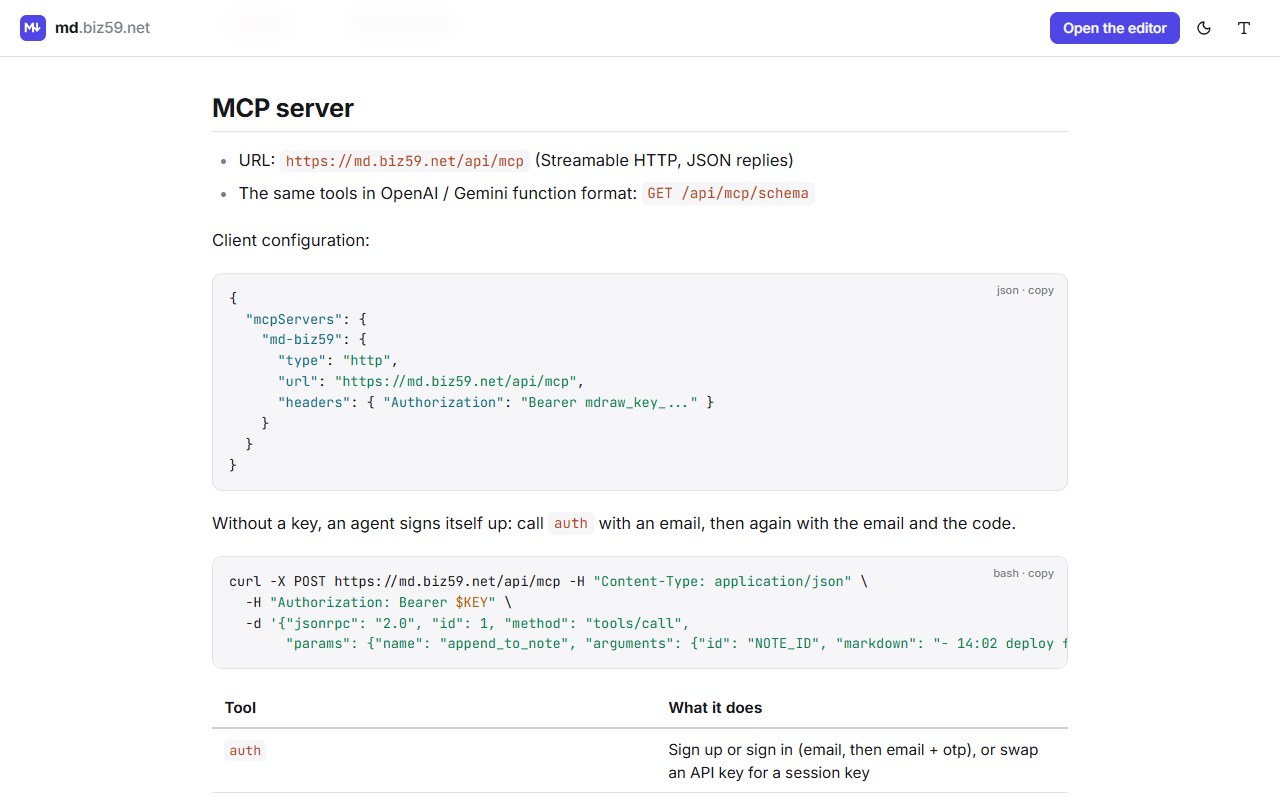
Our two tools share one MCP server. It has fifteen tools, and you can ask it for the list yourself. This call needs no key:
Back come auth, diagram_syntax, get_account, seven tools for notes (list_notes, list_notebooks, get_note, create_note, update_note, append_to_note, delete_note) and five for drawings. We ran it on 14 October while writing this, and counted.
The notebook: one note the agent keeps adding to
The tool that earns its place is the dullest one: append_to_note. It adds lines to the end of an existing note and touches nothing else.
That one call is a run log. Give a nightly job a note called "Imports" and have it add a line when it starts, a line when it ends and a line for anything odd. In the morning you open one page, in good type, newest lines at the bottom. Search finds last Tuesday's failure. If a customer asks, you share the note as a read-only link.
Three habits made this work for us.
One note per job, not one note per run. A hundred notes called "Run 2026-10-14" are as useless as the chat was. A long note with dated lines is something a person will read.
Let the agent read before it writes. list_notes takes search words, a notebook and a tag. An agent told to "check the Decisions notebook before proposing a change" stops re-arguing things you settled a month ago.
Write for the person, not the machine. Notes are markdown, so the agent can use headings, tables and tick boxes, and a human sees a document, not a dump of JSON.
The whiteboard: the agent sends a list, a person gets a drawing
Asking a language model to place boxes at coordinates goes badly. It's the wrong kind of work for it. Writing a tidy indented list is the right kind. So the drawing tools take an outline, and the layout happens when a person opens the drawing.
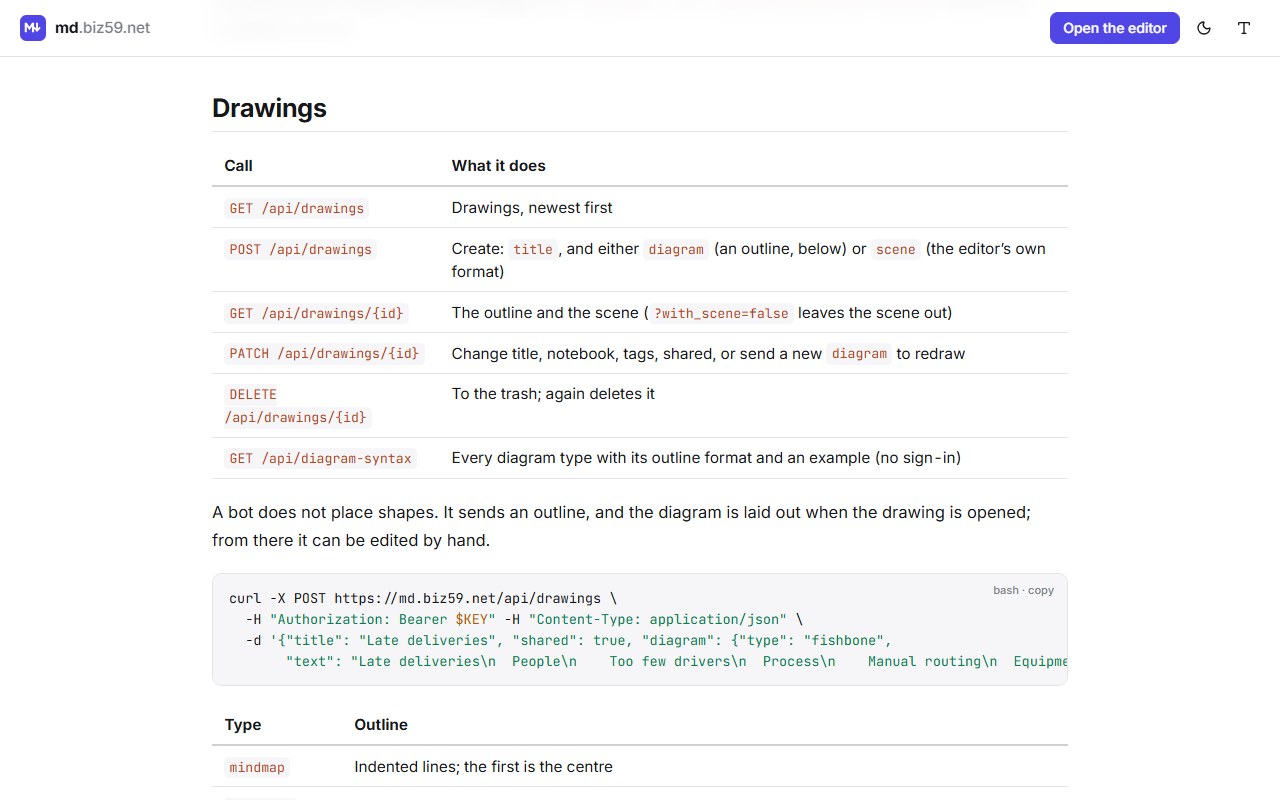
diagram: {type, text} and never a coordinate.An agent that doesn't know the formats can ask. diagram_syntax needs no sign-in and returns every type with a description and an example, which is exactly the kind of thing a model reads well. After that, a post-incident review can end with a fishbone of causes, and a planning session with a mind map, made by the same agent that wrote the notes.
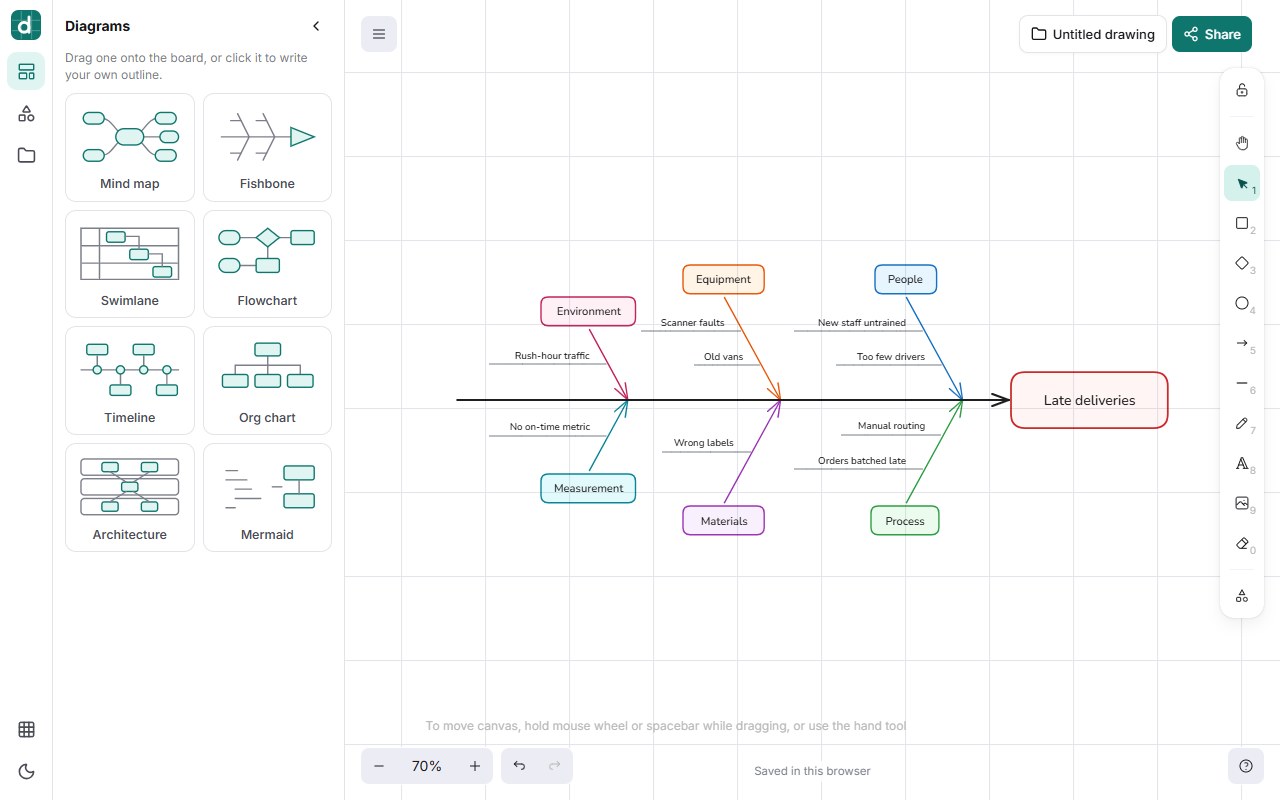
The important part is that last step. The agent's drawing is a first draft on a real board. Someone drags a cause to a different bone, deletes the one that's wrong, and the diagram is now the team's, with the tedious part already done.
Keys, and what to be careful about
An agent gets in one of two ways. You create an API key in the app once you're signed in and put it in the assistant's MCP configuration as a Bearer header. Or the agent signs itself up through the auth tool with an email address and the six-digit code sent to it, which is handy for a bot that has its own mailbox.
A few plain cautions, because an agent with write access is still software with write access.
A key is the whole account. There are no read-only keys yet. Give the agent its own account, with its own email, and keep your private notes somewhere it can't reach.
Shared means public. A note or drawing created with shared: true is readable by anyone with the link. Tell the agent when it may share, in so many words, or leave sharing to people.
Notes can carry instructions. If your agent reads notes that other people or other systems write into, treat that text as data. An assistant that obeys whatever it finds in a document can be steered by whoever wrote the document.
It's a notebook, not a database. One note holds up to 1 MB of markdown and an account up to 3,000 notes and drawings. That's plenty for logs, decisions and reports, and wrong for ten million rows.
Start with one job
Pick the most boring recurring task your agent or script already does. Make one note for it. Add the three lines that append to it. Leave it a week, then look at whether you opened the note more often than you used to scroll the chat.
If you did, the whiteboard is the next step. If you didn't, you've spent ten minutes and learned your team doesn't read logs, which is also worth knowing.
The MCP address, the fifteen tools and copy-ready examples are on one page.
Read the API and MCP docsMore on the two tools: Type the outline, get the diagram and One markdown note, three ways out.
Sources
Model Context Protocol, the specification and introduction. Tool names, limits and examples: md.biz59.net/docs, read and called on 14 October 2026. Screenshots were taken on the live sites the same day.