 biz59
SPF, DKIM and DMARC for a ten-person business in 2026: why invoices land in spam and the three DNS records that fix it
Why invoices sent through QuickBooks, Stripe or a CRM silently land in customer spam folders, the 10-lookup SPF limit that breaks email delivery, worked DNS records for your domain, and the 4-step path to p=reject.
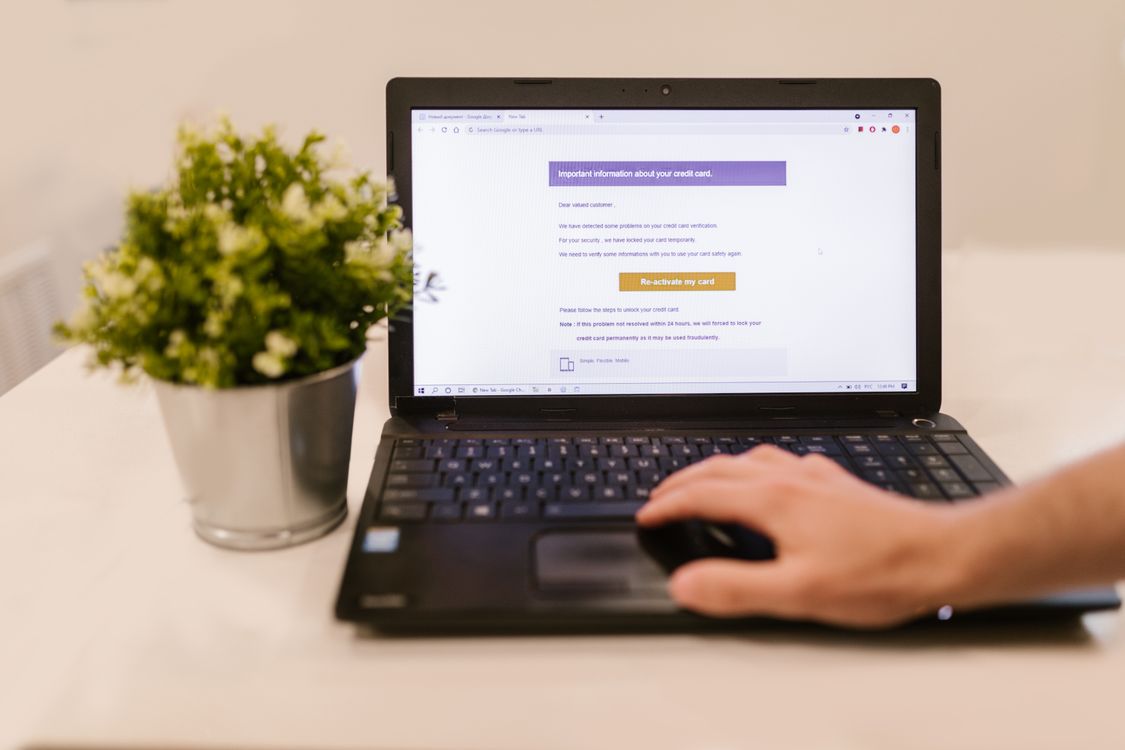
Your company finishes a project and sends a $4,500 invoice from QuickBooks or Stripe. Three weeks pass. You email the client to ask about the payment, and they reply immediately: "We never got the invoice."
They check their Spam or Junk folder, and there it sits—tagged as an "unverified sender" or "suspicious message". You did not send cold marketing emails, you did not buy an email list, and your company only has ten people. So why did your invoice get treated like spam?
The rules governing business email changed fundamentally between 2024 and 2025. In February 2024, Google and Yahoo introduced strict authentication mandates for email senders. In May 2025, Microsoft Defender for Office 365 and Exchange Online began enforcing automated quarantine and NDR rejection codes (550 5.7.509 Access denied, sending domain does not pass DMARC verification) for domains without aligned authentication. Small companies that send invoices through third-party platforms now trigger spam filters unless their DNS records explicitly prove who is sending what.
This guide covers why third-party billing tools fail email authentication, how small offices accidentally break the 10-lookup SPF limit, the three DNS records that fix it, real counts from a 30-day DMARC report, and the four-step rollout from p=none to p=reject.
Why third-party invoices fail authentication
To understand why invoices get flagged, you have to look at the two different "From" addresses inside every outgoing email:
- Header From (Friendly From): The visible address people read in their email client (for example, billing@yourcompany.com).
- Envelope From (Return-Path): The hidden technical address used by mail servers to route delivery bounces and error notifications.
When an employee emails a client from Google Workspace or Microsoft 365, both addresses match: alice@yourcompany.com. Recipient servers check your domain's Sender Policy Framework (SPF) record, see that Google or Microsoft is authorized, and deliver the email directly to the primary inbox.
When Stripe Invoicing, QuickBooks, or HubSpot sends an invoice on your behalf, the visible Header From still says billing@yourcompany.com. But the hidden Envelope Return-Path points to bounces.stripe.com or intuit.com. When the client's mail server checks SPF, it checks Stripe's servers against stripe.com. That passes, but it tells the receiver nothing about whether yourcompany.com authorized the message.
Under DMARC (Domain-based Message Authentication, Reporting, and Conformance), this is called an alignment failure: SPF passed technically, but not for the domain displayed in the From header. Unless you attach a cryptographic DKIM signature that matches yourcompany.com, spam filters treat the invoice as potential domain spoofing. For more on routing finance notifications, see our guide on who gets the invoice and renewal notices at a small SaaS.
The 10-lookup limit: how small offices break SPF
When small business owners learn that their invoices are hitting spam, their first instinct is to open their DNS registrar and add every service they use into their root SPF record. That creates a much worse problem: the 10-lookup limit.
RFC 7208 Section 4.6.4 limits SPF evaluation to exactly 10 DNS lookups (include, a, mx, ptr, exists, redirect). Mail servers enforce this limit strictly to prevent denial-of-service amplification attacks. Each include: mechanism in your TXT record can trigger multiple nested DNS lookups behind the scenes:
| Provider | SPF include mechanism | Nested DNS lookups used |
|---|---|---|
| Google Workspace | include:_spf.google.com | 3 (_netblocks.google.com, _netblocks2, _netblocks3) |
| Microsoft 365 | include:spf.protection.outlook.com | 2 (spfa.protection.outlook.com, spfb) |
| QuickBooks Online | include:_spf.intuit.com | 2 (spf.intuit.com, _spf2.intuit.com) |
| HubSpot CRM | include:hubspotemail.net | 2 (_spf1.hubspotemail.net, _spf2) |
| SendGrid / Mailgun | include:sendgrid.net or include:mailgun.org | 2 to 3 lookups |
| Combined total | Typical ten-person tech stack | 11 to 12 lookups (Limit exceeded) |
When total lookups reach 11, receiving servers immediately abort the check and return a DNS permerror (permanent error). RFC 7208 specifies that a permerror must be treated as an authentication failure. Once this happens, even normal day-to-day emails sent from your primary Google or Microsoft inbox can land in your customers' spam folders. (If you are updating registrar records, check our notes on registrar accounts and avoiding DNS loss).
Record 1: Clean root SPF record
To keep your SPF record healthy, follow two core rules:
- Publish exactly one SPF record: You must have only one TXT record starting with v=spf1 on your apex domain (@). If you publish two separate SPF records, mail servers fail the message with permerror instantly.
- Do not include tools that use custom DKIM: Senders like Stripe Invoicing and Postmark sign messages with custom domain keys on dedicated subdomains. They do not need to be in your root SPF record.
For a ten-person team using Google Workspace, QuickBooks Online, and HubSpot, a clean root SPF record looks like this:
This record uses 7 DNS lookups (3 for Google, 2 for Intuit, 2 for HubSpot), safely beneath the 10-lookup ceiling. The ~all tag specifies a "softfail": it instructs receivers to accept mail from other IPs with a warning during your setup period, before you switch to -all (hardfail) once DMARC is in place.
Record 2: DKIM records for each sending tool
DKIM (DomainKeys Identified Mail) uses public-key cryptography to solve the invoice problem once and for all. When Stripe or QuickBooks generates an invoice, its server attaches a cryptographic signature header (DKIM-Signature) to the message. The recipient mail server looks up your public key in your DNS under a specific "selector" to verify that the message came from you and was not altered in transit.
DKIM is far more reliable than SPF for business invoices because DKIM signatures survive email forwarding. When a client automatically forwards your invoice to their external bookkeeper or accountant, SPF fails because the forwarding server's IP address is not in your SPF record. A valid DKIM signature remains intact across forwards.
Every tool provides its own selector records to add in your DNS manager:
- Google Workspace (2048-bit RSA key): Generated inside Google Admin Console under Apps > Google Workspace > Gmail > Authenticate email:
- Stripe Invoicing (Custom CNAME selectors): Configured in Stripe Dashboard under Settings > Business > Emails. Stripe provides CNAME records that delegate DKIM signing directly to their rotation infrastructure while maintaining alignment with your domain:
Always select 2048-bit key length over older 1024-bit options. Both Google and Microsoft now flag 1024-bit keys as low-assurance during spam evaluation.
Record 3: DMARC policy on _dmarc
DMARC is the policy layer that ties SPF and DKIM together. It answers the question receiving mail servers ask: "What should I do with an email that claims to be from this domain if it fails authentication?"
Here is the critical rule: DMARC passes if EITHER SPF passes and aligns, OR DKIM passes and aligns. This is why configuring DKIM for Stripe and QuickBooks fixes invoice delivery: even though the envelope return-path is stripe.com (failing SPF alignment), the DKIM signature is signed for yourcompany.com, giving 100% DKIM alignment.
To start, publish a monitoring record at _dmarc.yourcompany.com:
Here is what each tag in this record does:
- v=DMARC1: The protocol version identifier. Must appear first.
- p=none: The policy mode. p=none means "monitor only"—do not reject or spam-box failed mail while you are setting up.
- rua=mailto:...: The destination address for aggregate XML reports sent daily by Google, Microsoft, and Yahoo.
- pct=100: Applies the policy to 100% of outgoing messages.
- sp=none: Sets the same policy on subdomains (like billing.yourcompany.com).
- aspf=r and adkim=r: Relaxed alignment. Allows subdomains to match your root domain without failing.
Reading real DMARC XML reports: a 30-day breakdown
Within 48 hours of publishing your rua record, mailbox providers will begin sending daily XML report files (compressed as .xml.gz). You can inspect these reports using open-source parsers or free monitoring dashboards to see every service sending mail under your domain name.
Here is a real 30-day aggregate summary from an active ten-person software and consulting business (4,120 total messages):
| Sending service | Messages | SPF alignment | DKIM alignment | DMARC outcome | Destination |
|---|---|---|---|---|---|
| Google Workspace (staff mailboxes) | 3,450 | Pass (yourcompany.com) | Pass (google._domainkey) | PASS | Primary Inbox |
| Stripe Invoicing (billing & receipts) | 412 | Neutral (envelope stripe.com) | Pass (s1._domainkey) | PASS | Primary Inbox |
| HubSpot (marketing & lead follow-up) | 228 | Pass (yourcompany.com) | Pass (hs1._domainkey) | PASS | Primary Inbox |
| Office network scanner / copier | 19 | Pass (matched office IP) | None | PASS | Internal Mailbox |
| Foreign spoofing / phishing bots | 11 | Fail (unauthorized IPs) | Fail (no signature) | FAIL | Delivered to Spam (p=none) |
Three important details show up in these numbers:
- Stripe passed because of DKIM: Even though the envelope return-path was Stripe's internal address, the aligned DKIM signature gave it a 100% DMARC pass rate. Invoices arrived in the customer's primary inbox.
- The office scanner needed an IP entry: The physical copier in the office had no DKIM capabilities. Adding the office's static IP (ip4:198.51.100.42) into the SPF record kept scan-to-email working before enforcement was turned on.
- Eleven spoofed emails were caught: Foreign botnets tried sending spam with the company's domain in the From line. Under p=none, those 11 emails still went through to spam folders; under p=reject, they get dropped at the gateway before ever reaching an inbox.
The 4-step rollout timeline: from p=none to p=reject
Never jump directly to p=reject on day one. If you have a legacy tool, a forgotten transactional script, or an accountant sending tax documents through a portal, p=reject will bounce those legitimate messages without warning. Follow this eight-week transition schedule:
- Weeks 1 to 3 (Monitor with p=none): Publish your root SPF, initial DKIM selectors, and v=DMARC1; p=none; rua=mailto:dmarc-reports@yourcompany.com;. Monitor incoming reports weekly to build a complete inventory of every system sending email.
- Weeks 4 to 5 (Fix unaligned tools): Configure custom DKIM for every third-party sender (QuickBooks, Stripe, HubSpot, Zendesk). Ensure your root SPF record has fewer than 8 total DNS lookups.
- Weeks 6 to 7 (Quarantine with pct=25): Update your DMARC record to v=DMARC1; p=quarantine; pct=25; rua=.... If an unauthorized or misconfigured email arrives, only 25% of failures go to Spam. If no legitimate messages are affected after two weeks, raise pct to 100.
- Week 8+ (Enforce with p=reject): Update DNS to v=DMARC1; p=reject; pct=100; rua=.... Unauthorized emails spoofing your domain are rejected outright at the mail gateway. Your invoices and team emails maintain maximum trust scores across all receiving servers.
Looking to verify your domain health, security baseline, and business operations? Try our free web tools.
Explore free business tools